
Restaurant table bookings with WhatsApp confirmations
Online reservations and walk-ins on one floor plan, checked in real time so no table is ever double-seated — and every guest hears back on WhatsApp, in their language.
Set it up yourself in minutes — no sales call, and bookings are included on the Free plan.
Every table, accounted for
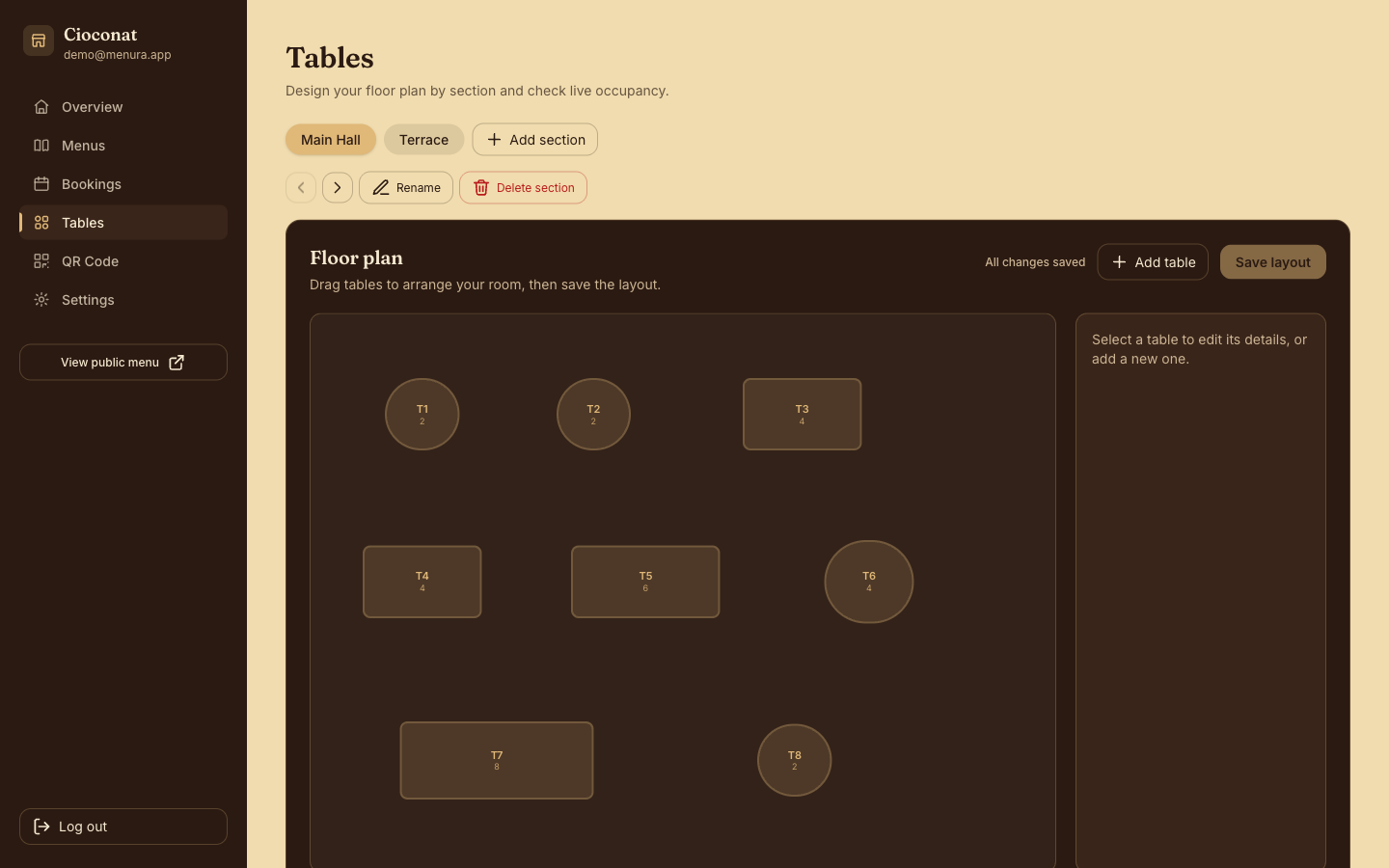
Draw your floor plan once; from then on, every reservation and walk-in lives on it — and AlaMenu never seats two parties at the same table.
Visual floor-plan editor
Lay out sections and tables to match your dining room — bilingual names, real seat counts.
Bookings and walk-ins, one screen
Online reservations land next to the walk-ins your staff seat from the dashboard — no second system, no paper book.
No double-seating, ever
Every table is checked in real time, so two bookings never collide on the same table.
Confirmations guests actually read
A WhatsApp message goes out automatically when a booking is received, confirmed, or cancelled — no staff member has to remember to send it.
In the guest's language
Every message carries English and Arabic together, so guests read it in their own language either way.
Email backs it up
Guests who leave an email address get the same confirmation there too — a written record beyond the chat.
Your number, or ours
On Premium, messages come from your own WhatsApp Business number; on other plans, AlaMenu sends them for you.
How a booking happens
The guest books
From your menu page, guests pick a date, time, and party size — no app, no phone call. Your staff add walk-ins from the dashboard.
You confirm
The request appears on your floor plan with the table checked in real time — confirm it in one click, conflict-free.
WhatsApp confirms it
The guest gets a WhatsApp confirmation in their language — and by email too, if they left one. Cancellations message them as well.